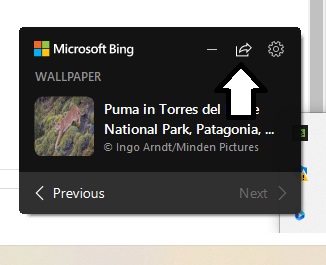
Microsoft’s Bing search engine may not be everyone’s favorite way to search the web, but it doe supply some gorgeous images. Thanks to Microsoft’s Bing Wallpaper App, you can have a different free image as your desktop background every day.
Let’s look at how to get it. Start by clicking here to go to the Bing Wallpaper Page: https://www.microsoft.com/en-us/bing/bing-wallpaper
Click on Install now to add it to your PC.

Click on the file to launch in your Downloads folder.


When the installation finishes, click Finish.

Your desktop will now feature a beautiful Bing image that changes daily.


Click the Share button to share the image with friends.